VFX in DuoQ
Making VFX for a novel and stylized FPS dating sim
Developed by USC students in Unreal, DuoQ is a fictional FPS game where players can use their real-life voice to talk with Tala over comms, solve puzzles, and outwit enemies.
VFX
A little demo of the VFXs I made for my game project DuoQ with fellow USC students. I was super excited to lean into more this 2D painterly direction using Unreal Niagara system.
I did not like the Gerstner-based wave I implemented in this game, but unfortunately, the project did not have enough time. Eventually, the misopprtunity pushed me to implement a more sophisticated algorithm for simulating wave in my own free time.
Triplanar Mapping
Normally when we texture an object, we do so by its UV coordinate. In this case, the object is a landscape malleable to artists’ sculpting work, so the object will be of arbitrary shapes. Triplanar mapping is a texture mapping technique that utilizes world-space or object-space position in place of the missing UV coordinate to determine how we can apply textures.
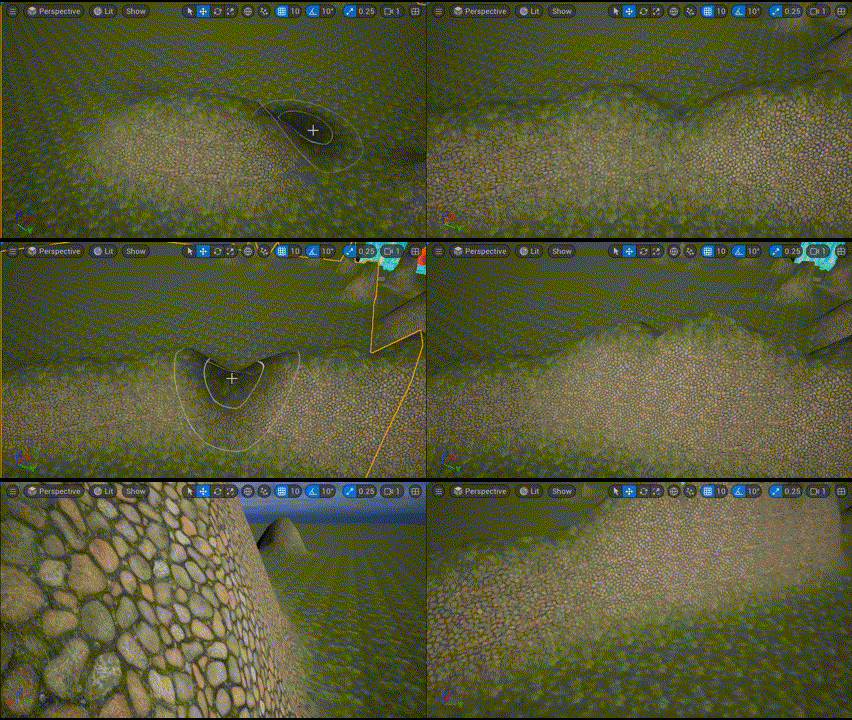
For DuoQ, I created a generic triplanar mapping texture that follows this simple rule:
- Grass albedo + normal mapping on Y axis
- Rock albedo + normal mapping on every other axis
The basic idea behind triplanar mapping is to project the texture onto a surface from three different directions:
- X-axis projection → Uses the YZ coordinates
- Y-axis projection → Uses the XZ coordinates
- Z-axis projection → Uses the XY coordinates
To make the material as flexible as possible for artists, I implemented six-way triplanar mapping that considers both positive and negative directions along every axis, which allows users to specify textures for each direction. The final texture color at a point is computed as a blend of the three projections based on the surface normal.
Landscape Material
The procedural material MI_Landscape has the following parameters to tune:
- BlendSharpness: how blended are the materials together
- Tiling: the tiling of textures used in this material
- UseSixPlanes: correct
- Offset: the offset of textures used in this material
- Texture parameters: each projection direction(+X, -X, +Y, -Y, +Z, -Z) has a slot for diffuse and normal textures, offering complete control over what we want each side of an object to look like
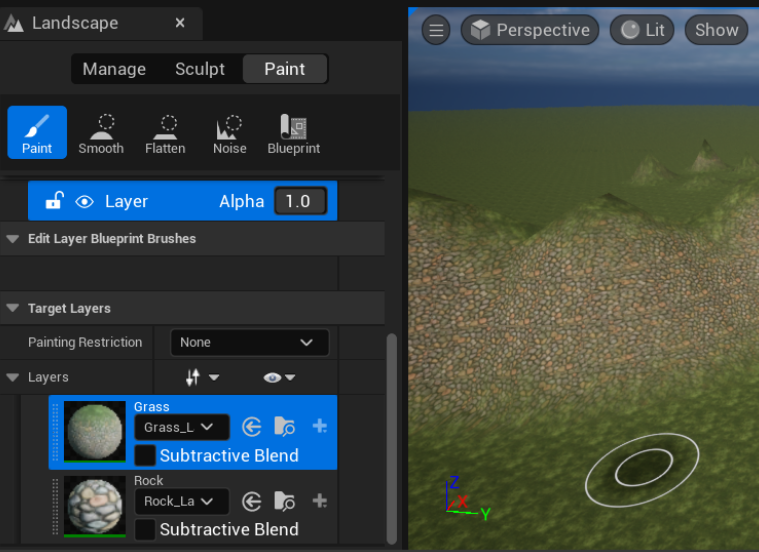
Assign this material MI_Landscape on the Landscape object by dragging the material to the Landscape object’s material slot. Once assigned, the default material would be the procedural grass/rock, whereas the other materials can be used for painting on the Landscape with the painting tool in Landscape mode.
Tools used
- Unreal Niagara
- Procreate